

Release 0.19.0
With this release, a backup can pick up topics based on how they are configured, not only on what they are called. You can now back up every compacted topic, for example, without relying on a naming convention.
Alongside that, S3 storages behind a private CA are supported, the console shows more clearly what each topic is doing, and schema registry backups now include named schema contexts.
Installation
Section titled “Installation”For new installations, see the Installation guide.
For upgrading existing installations, see the associated Upgrading to 0.19.x guide.
Back up topics by their configuration
Section titled “Back up topics by their configuration”Topic selectors could only match topics on their name, so selecting topics by what they are, for example every compacted topic, meant keeping a naming convention in sync with the cluster.
A selector can now match on the properties of a topic’s configuration,
such as cleanup.policy or retention.ms,
and conditions can be combined with allOf, anyOf, and noneOf groups.
This works in both matchers and excludeMatchers.
The console has a visual editor and a YAML editor for building these rules.
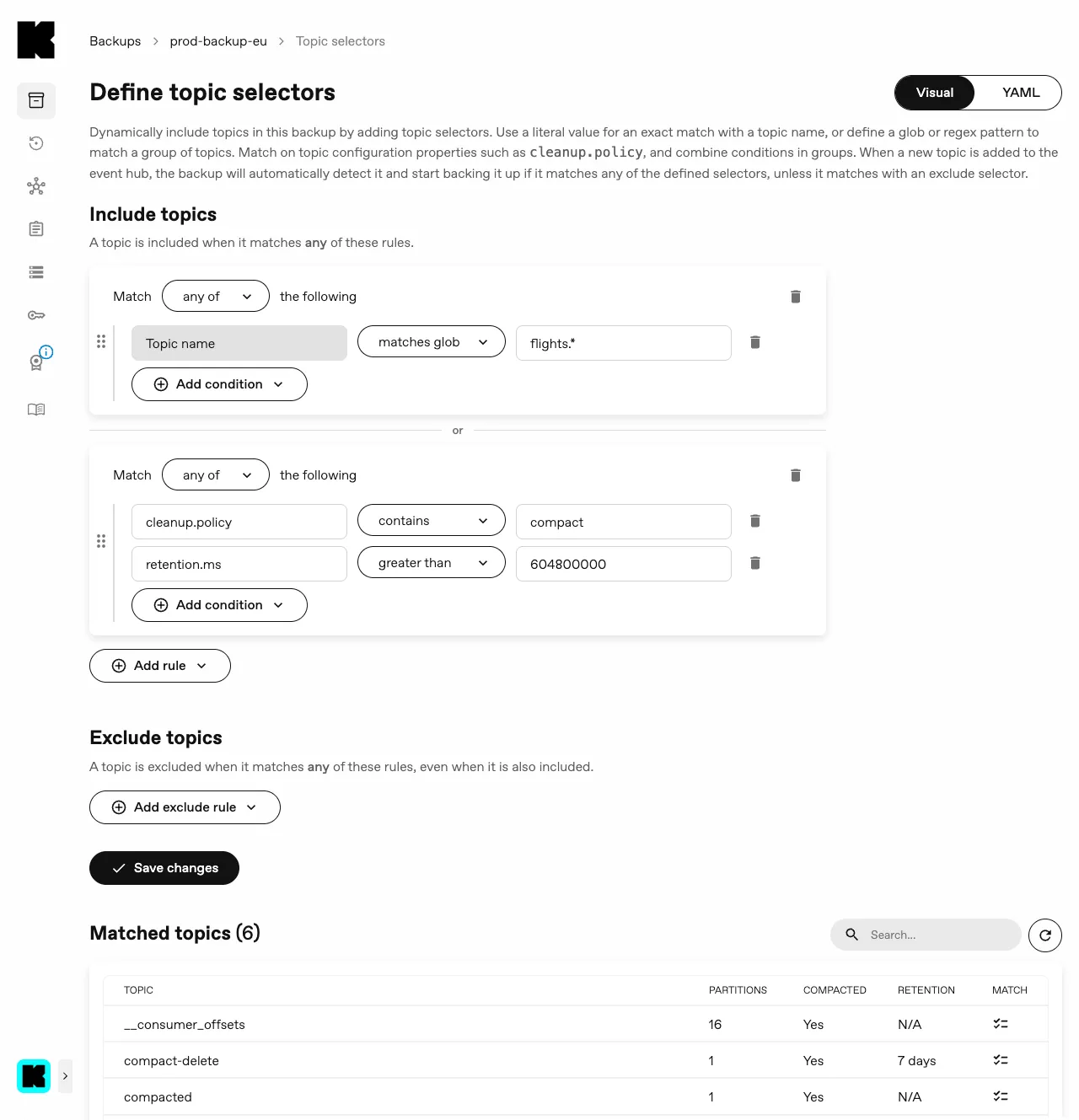
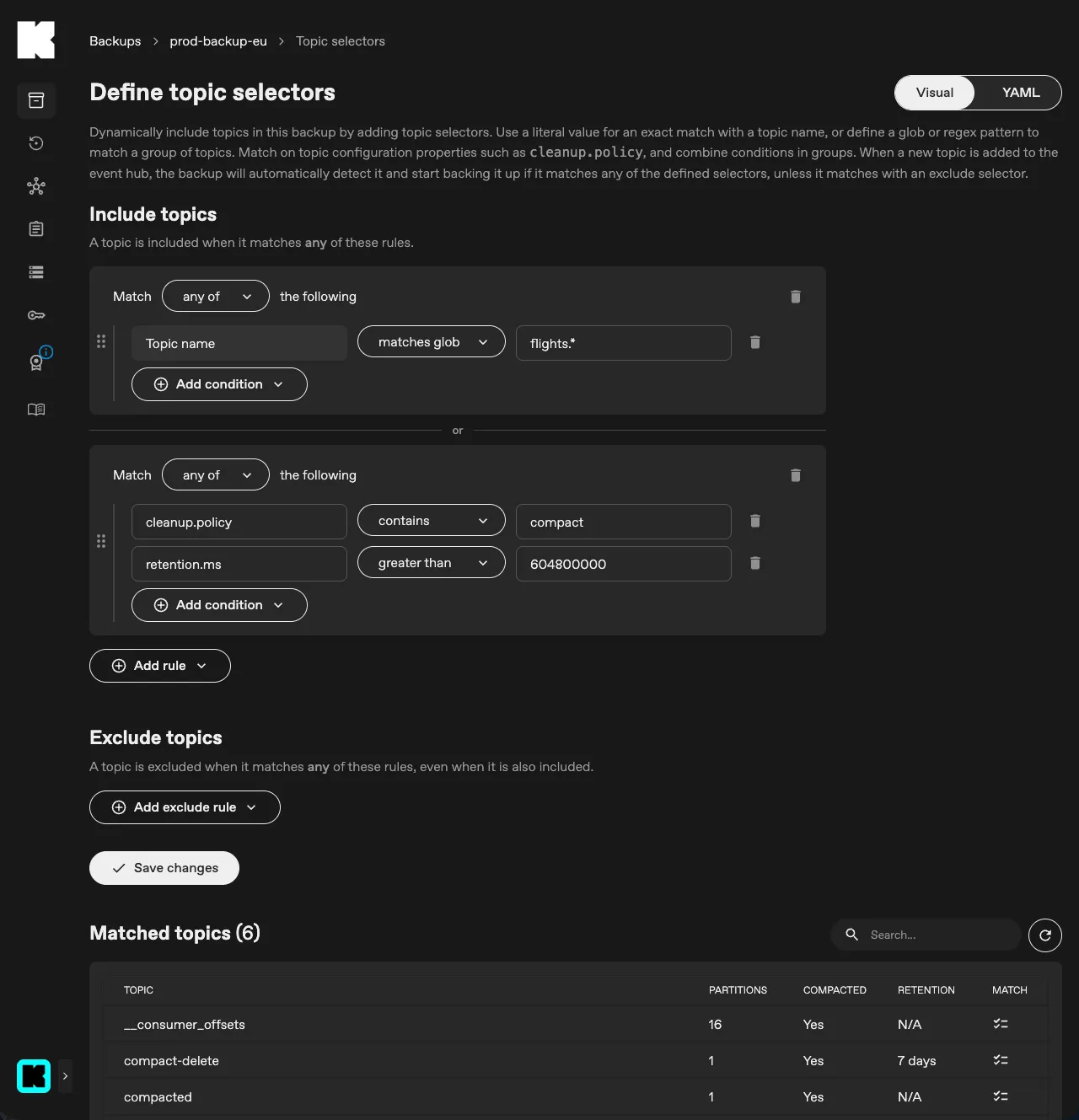
The same rules can be set in the Backup manifest:
apiVersion: kannika.io/v1alphakind: Backupmetadata: name: backup-examplespec: source: "my-kafka-cluster" sink: "my-storage" topicSelectors: matchers: - allOf: - name: glob: "orders.*" - property: key: "cleanup.policy" operator: Contains value: "compact" excludeMatchers: - property: key: "retention.ms" operator: Lt value: 3600000In this example,
every compacted orders.* topic is backed up,
unless it keeps its data for less than one hour.
Selectors can compare a property to a value or a list of values, check whether it is set, or compare it as a number.
The backup describes the configuration of the topics on the cluster to match them,
which requires the DescribeConfigs permission on those topics.
This is only needed when a selector uses a property condition.
Topic configurations are described again at a configurable interval,
so a topic whose configuration starts matching later on is picked up without restarting the backup.
S3 storages behind a private CA
Section titled “S3 storages behind a private CA”S3-compatible storages often serve HTTPS with a certificate issued by a private or self-signed CA. Armory only trusted the system roots, so such a storage could only be reached over plain HTTP.
An S3 Storage can now trust a private CA through the new caCertificateFrom field,
which references a PEM-encoded certificate in a Secret or a ConfigMap.
The CA is trusted in addition to the system roots.
It can also be set from the console and through the APIs.
When a backup or restore does not trust the certificate of its storage, it now says so, instead of reporting a generic connectivity error.
Clearer topic status in the console
Section titled “Clearer topic status in the console”A topic row of a backup now shows a spinner while the topic is starting or stopping, so you can see that a change is in progress.
When the backup has not reported on a topic recently, the row is dimmed and shows when the backup last reported, instead of showing a status that may no longer be accurate. The topic page shows the status message and hints of the topic under its heading.
A topic that is backing off shows the reason inline, so it is clear why it is not being backed up yet. The topics of a restore show their error message and hints inline as well.
Topic statuses are also more accurate. A topic reports as initializing while its backup deployment is still starting, instead of looking stuck, a disabled topic no longer shows as initializing, and stale statuses are cleared instead of lingering.
Schema registry backups in named contexts
Section titled “Schema registry backups in named contexts”Schema registry backups and restores now handle named schema contexts.
A backup captures the subjects from every context under their fully qualified name,
and a restore puts each subject back into the same context on the target registry,
with no configuration needed.
When you restore in import mode,
switch every context you are restoring into IMPORT mode, not just the default one.
Configurable termination grace period
Section titled “Configurable termination grace period”Backup, Restore, SchemaRegistryBackup, and SchemaRegistryRestore resources have a new spec.terminationGracePeriodSeconds field,
and the operator Helm chart can set a default for every pod it spawns.
Restore and schema registry pods now get 60 seconds to shut down by default instead of 30,
the same as Backup pods.
This is useful for large backups and restores that need more time to shut down cleanly, for example to flush their last segments or commit their progress before the pod is stopped.
Smaller improvements
Section titled “Smaller improvements”- Console: the maintenance card now uses the theme colors, so it renders correctly in both the light and the dark theme.
- Console: becomes ready sooner after a restart.
- API: the metrics cache no longer drops data when many backups or restores run at the same time.
It previously held at most 25 backups and 25 restores, so beyond that metrics were evicted and could show gaps.
The limit is now 1000 and configurable through the Helm chart via
api.config.backup.metrics.cache.maxSizeandapi.config.restore.metrics.cache.maxSize. - API: restore metrics are collected the same way as backup metrics and periodically saved to the database, so they no longer show gaps after the API restarts.
- API: metrics no longer show stale values for a backup or restore you have deleted.
- API: a failed scrape no longer stops the metrics from refreshing.
Release notes
Section titled “Release notes”For a full list of changes, see the Changelog.